Webhooks and Integrations
Use the integrations overview to verify automation surfaces, then configure outbound notification delivery
Ask AI about this page
Get answers grounded in the live Obelisk docs set, with source links, selected-text explainers, and prompts for the next document to read.
Use this guide to verify the organization's integration posture before changing API, webhook, or runtime settings.
Integrations Overview
Route: /dashboard/organization/integrations
This page is the fastest cross-surface health check for organization automation.
This page summarizes:
- active public API keys
- outbound webhook configuration state
- organization notification stream endpoint
- managed runtime availability and running deployment counts
- recent API keys and subscription/runtime state
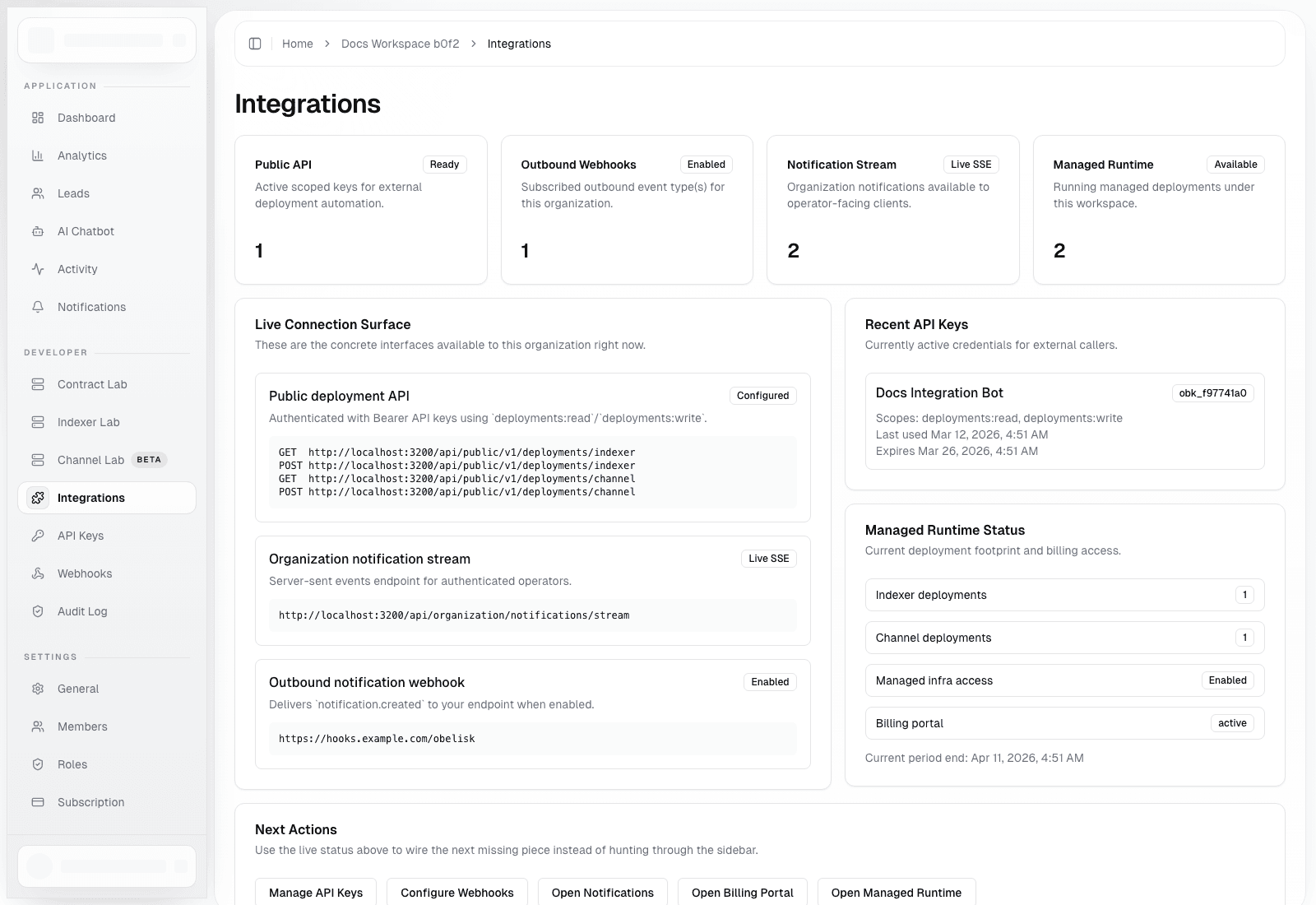
Use it before debugging a failing integration because it quickly shows whether the issue is likely:
- missing API credentials
- incomplete webhook setup
- missing subscription/runtime access
- a misunderstanding of which integration surface should be used
Webhooks
Route: /dashboard/organization/webhooks
Use this page to:
- enable or disable outbound delivery
- set the destination URL
- configure an optional signing secret
- send a test webhook
- confirm the currently supported event list
Current supported event:
notification.created
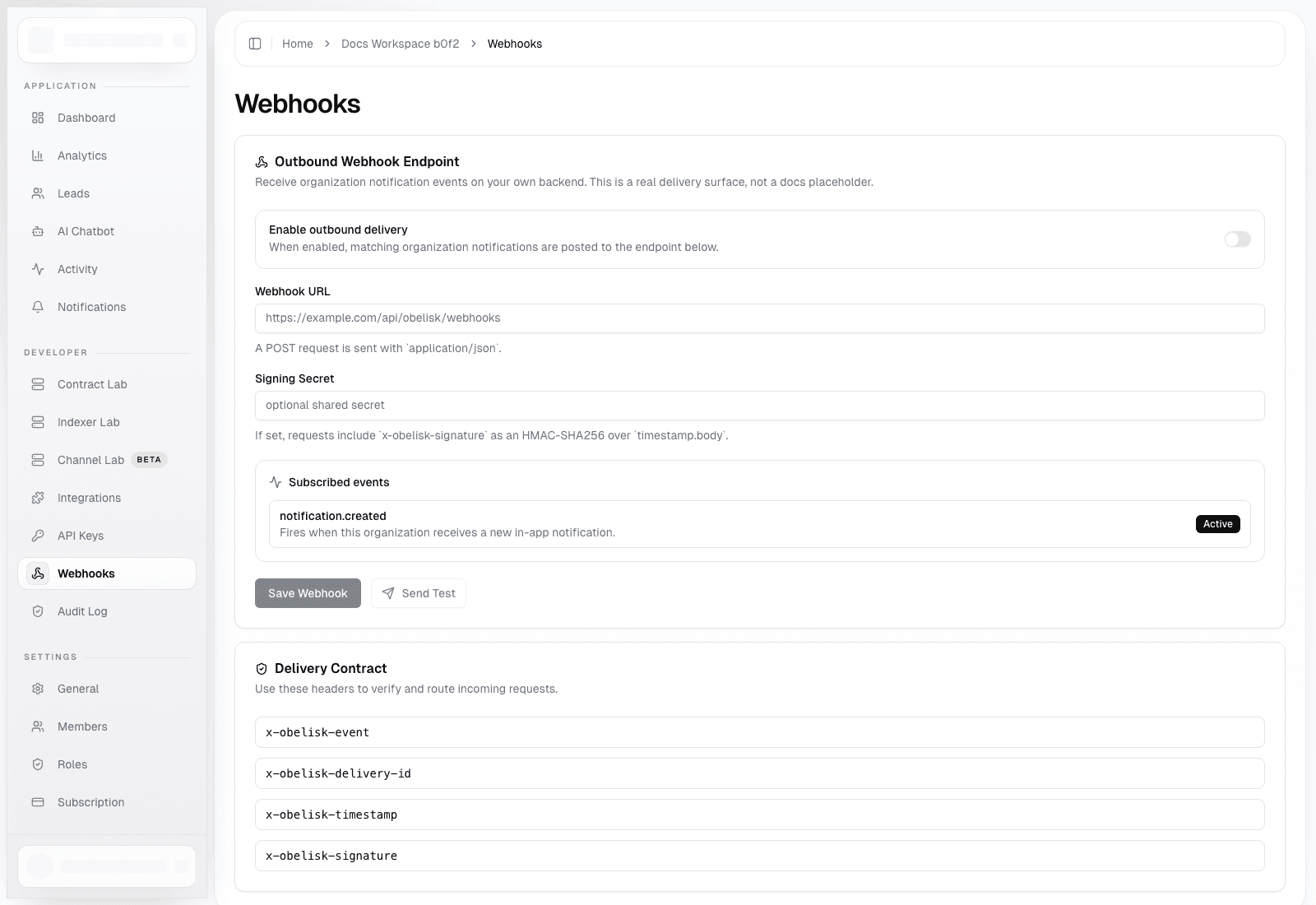
Delivery Contract
Requests are sent as POST with application/json and include these headers:
x-obelisk-eventx-obelisk-delivery-idx-obelisk-timestampx-obelisk-signature
If a signing secret is configured, x-obelisk-signature is the HMAC-SHA256 over timestamp.body.
Recommended Receiver Behavior
- Reject requests missing the required headers.
- Enforce a timestamp freshness window.
- Recompute the HMAC and compare in constant time.
- De-duplicate by
x-obelisk-delivery-id. - Return a
2xxresponse only after the payload is accepted by your system.