Quickstart: First 30 Minutes in Obelisk
The fastest hands-on path from first sign-in to a credible evaluation of the product
Ask AI about this page
Get answers grounded in the live Obelisk docs set, with source links, selected-text explainers, and prompts for the next document to read.
Use this guide when you want to understand the product by touching the real surfaces, not by reading every page first.
In 30 minutes, you should know where day-to-day work happens, how automation is exposed, and whether the operating model fits your team.
Before You Start
Make sure you have:
- a working account
- access to at least one organization, or permission to create one
- a rough sense of whether you are acting as an operator, developer, or platform admin
If you are still at the account-entry stage, read Authentication and Onboarding: Sign-up, Sign-in, Verify, Reset, Plan Gate first.
1. Sign In And Enter The Right Organization
- Sign in from
/auth/sign-in - Land on
/dashboard - Open the organization you want to evaluate
- Confirm that you are now inside
/dashboard/organization
This step matters because most of the product is organization-scoped.
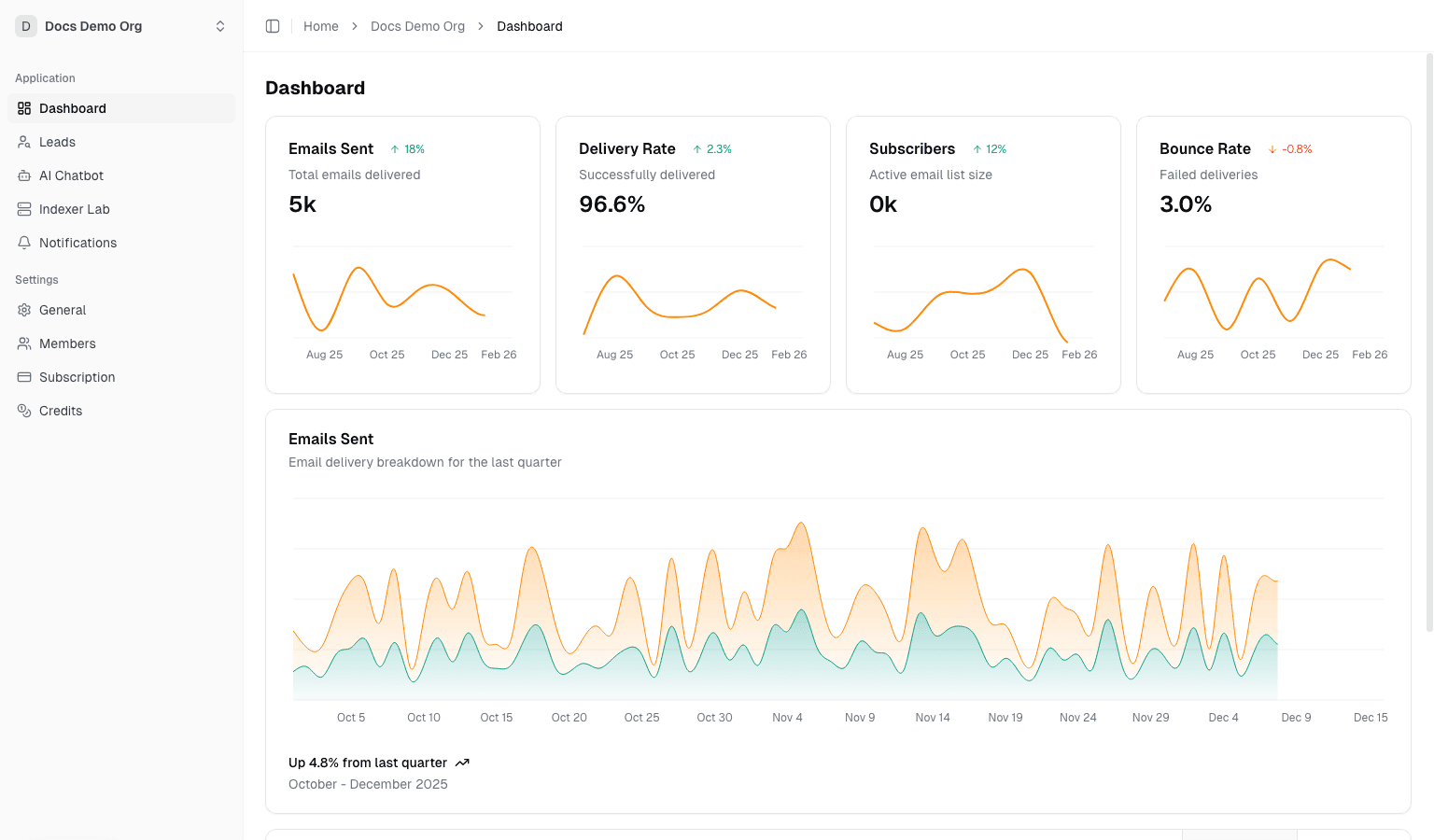
2. Read The Workspace Home Like An Operator
Stay on /dashboard/organization and answer these questions:
- What metrics are surfaced immediately?
- Which recent operational events are visible without drilling down?
- Which quick actions suggest the product's main priorities?
If a docs set cannot help you interpret the home screen quickly, it is not doing its job.
Continue with:
3. Inspect How Automation Is Exposed
Open /dashboard/organization/integrations.
Use this page to verify whether the organization has a coherent automation model instead of disconnected setup pages.
Look for:
- API access
- webhook delivery
- notification surfaces
- managed runtime entry points
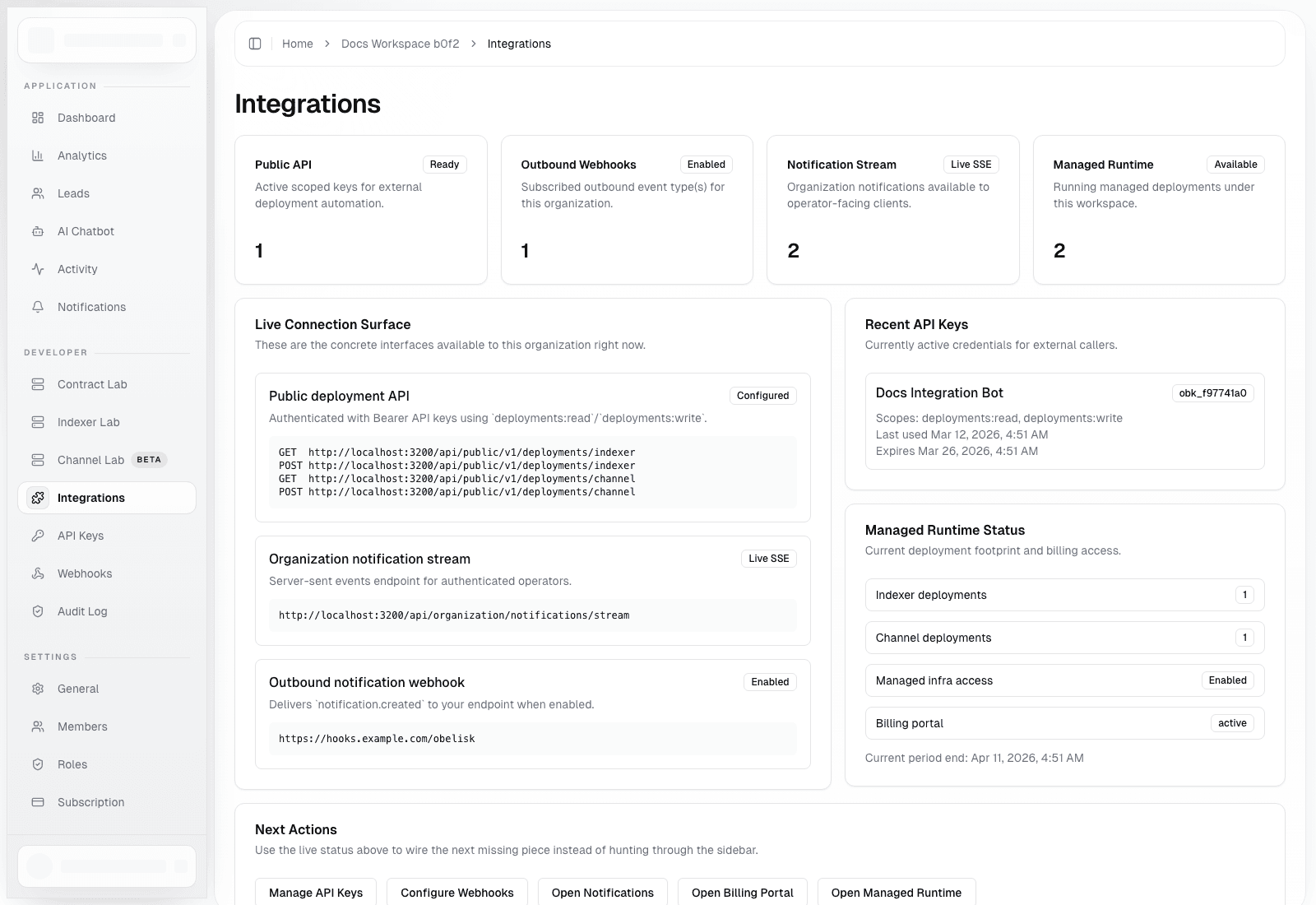
Then go deeper with:
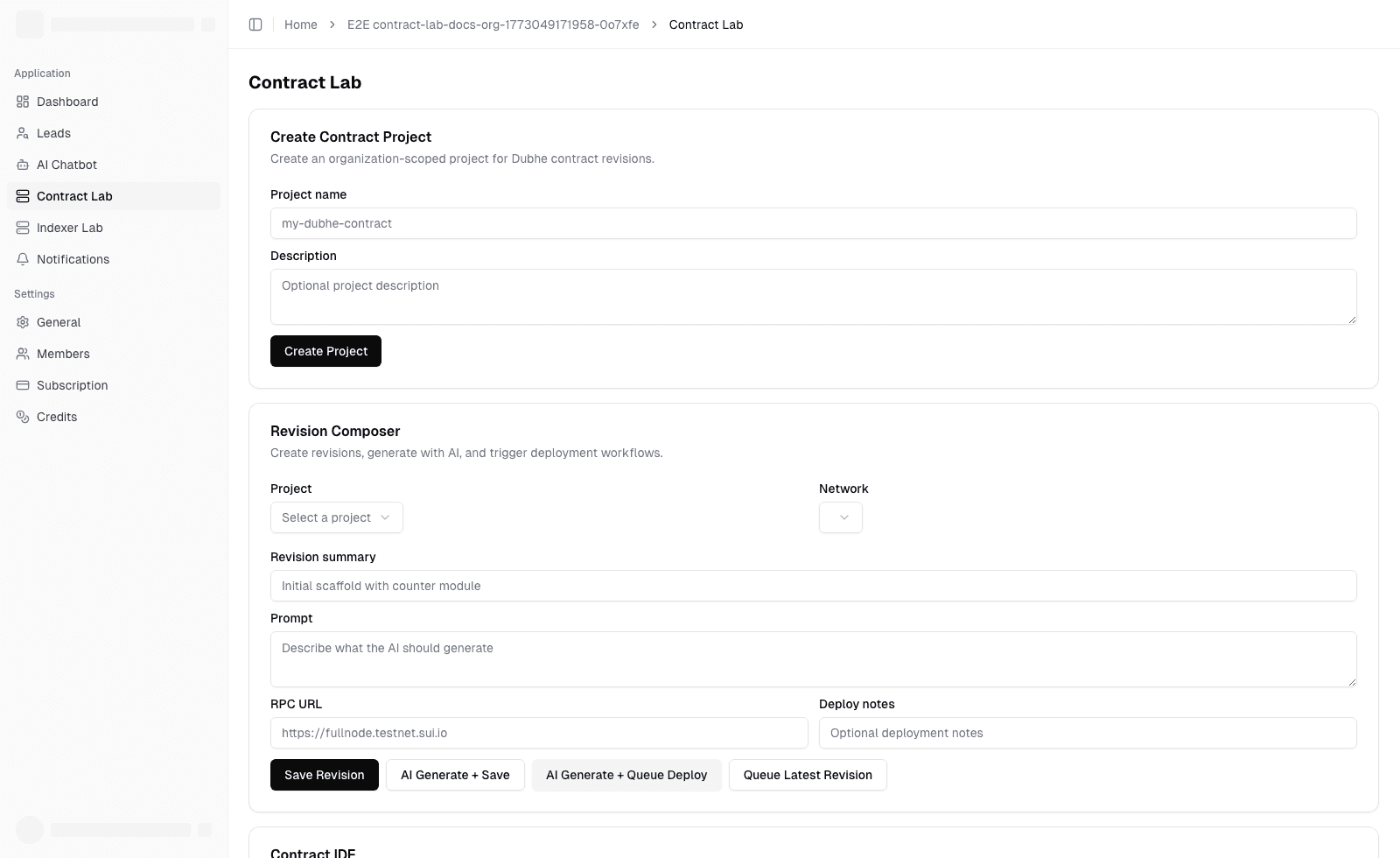
4. Open The Runtime Surface You Actually Care About
Choose the surface that matches your team's work:
Contract Labif you ship contract revisions and deploymentsIndexer Labif you operate indexed data pipelinesChannel Labif you manage Dubhe channel runtime deployments
The point is not to click every page. The point is to see whether the product turns runtime work into an inspectable, governed workflow.
5. Check Governance And Commercial Readiness
Open /dashboard/organization/settings and review:
- members and roles
- billing and invoices
- credits and payment methods
Then decide whether the product keeps spend, access, and operational work close enough together for your team.
6. If You Are A Platform Admin, Verify The Control Plane
Open the admin console and answer two questions:
- Can platform owners govern many organizations without entering tenant workspaces manually?
- Are alerts and intervention workflows visible enough for a real operating team?
Continue with:
- Admin Console: Users, Organizations, Notifications, App Config
- Platform Alerts: Health, Delivery, Acknowledgement, Export
What You Should Know After This Guide
By now, you should be able to answer:
- where daily tenant work happens
- how automation is exposed and controlled
- how runtime workflows differ from admin workflows
- whether Obelisk feels like one control plane or several disconnected tools
Continue Based On Your Goal
- Evaluating product fit: Use Cases and Team Fit
- Learning the product model: Core Concepts
- Going deeper by role: Reading Paths by Role