Production Readiness
The practical checklist for roles, billing, automation, alerts, logging, and go-live operations
Ask AI about this page
Get answers grounded in the live Obelisk docs set, with source links, selected-text explainers, and prompts for the next document to read.
This page is a practical go-live guide, not a marketing promise.
Use it before declaring that Obelisk is production-ready for your team.
What Production-Ready Means Here
For Obelisk, production readiness means all of these are true:
- tenant boundaries are clear
- privileged roles are assigned intentionally
- automation credentials are scoped and revocable
- billing behavior is understood
- queue-backed runtime work is observable
- platform alerts, logging, and incident review paths are real
Environment Prerequisites
Confirm these categories before go-live:
| Area | Why it matters |
|---|---|
| base URL and auth | routes, callbacks, invitations, and signed sessions depend on them |
| billing and Stripe | choose-plan gating, invoices, subscriptions, and credit purchases depend on them |
| email delivery | invitations, resets, and billing notifications depend on it |
| AI providers | chatbot and AI-assisted workflows depend on credits and provider configuration |
| managed infrastructure configuration | public deployment API and runtime labs depend on provisioning preflight and runtime image/config settings |
| alert channels | platform alerts become much more useful when Slack or escalation webhooks are configured |
Access And Role Checklist
- limit platform
adminaccess - assign at least one organization
owner - assign organization
adminroles intentionally for billing and automation ownership - avoid sharing one admin account for normal operator work
- validate that organization switching sets the correct active organization before sensitive actions
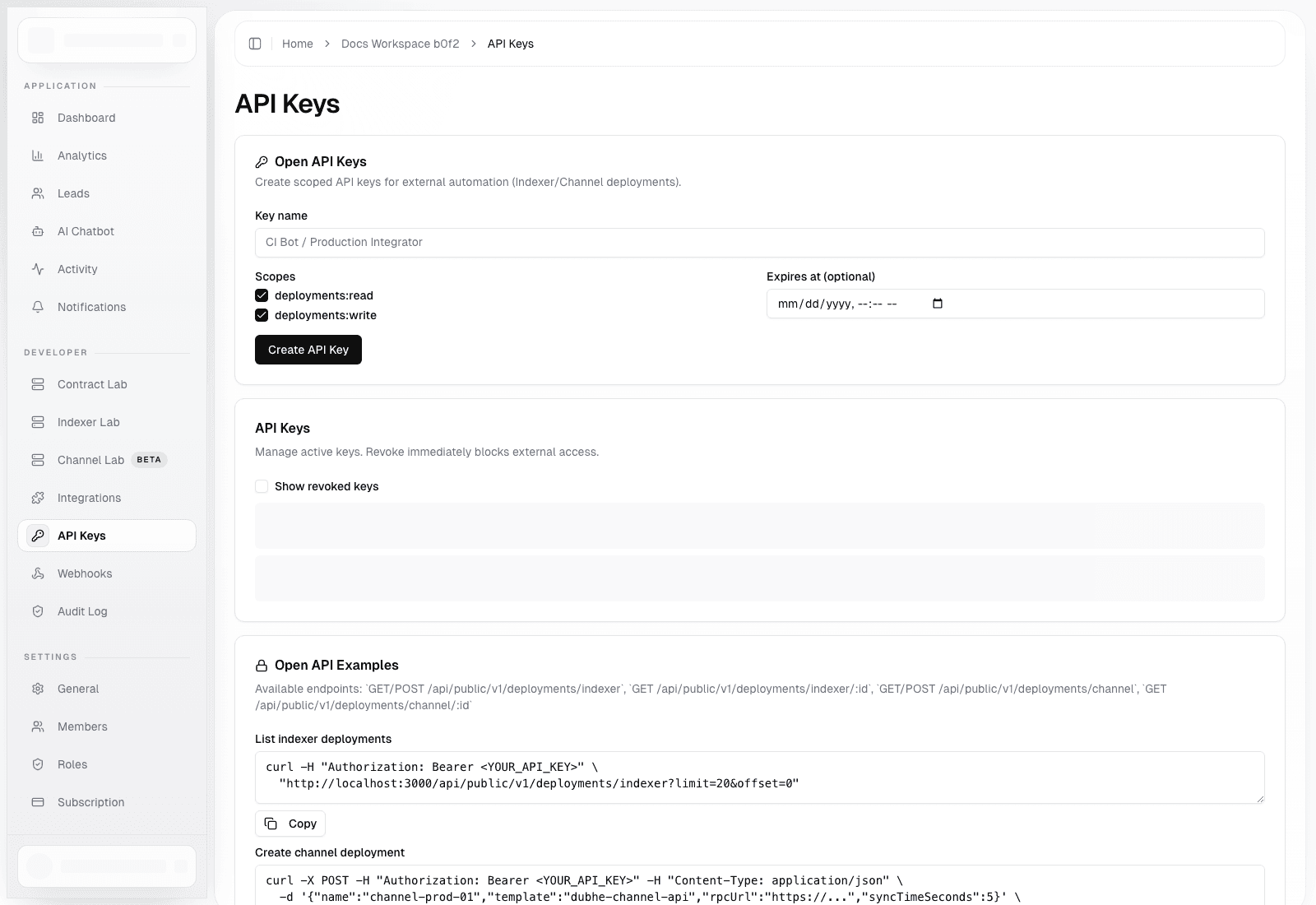
Automation Checklist
- create separate API keys per integration or environment
- use
deployments:readfor inventory and status-only consumers - reserve
deployments:writefor trusted automation - set expiration for temporary keys
- rotate or revoke keys during incident response
- configure webhook signing when receivers need authenticity guarantees
Billing And Commercial Checklist
- understand whether
/dashboard/choose-planshould gate tenant access in your environment - verify that owners/admins, not regular members, own billing workflows
- validate invoices, payment methods, subscriptions, and credits inside organization settings
- if you use seat-based pricing, confirm member counts and seat counts stay aligned
- if you use auto top-up, verify thresholds and package selection before enabling it in production
Observability Checklist
Operator-facing observability already exists in multiple layers:
- organization activity
- organization analytics
- organization audit log
- provisioning audit logs
- platform alerts
- structured tRPC logging
- Sentry context attached in tRPC middleware
That means you should not rely on chat history or memory for incident review.
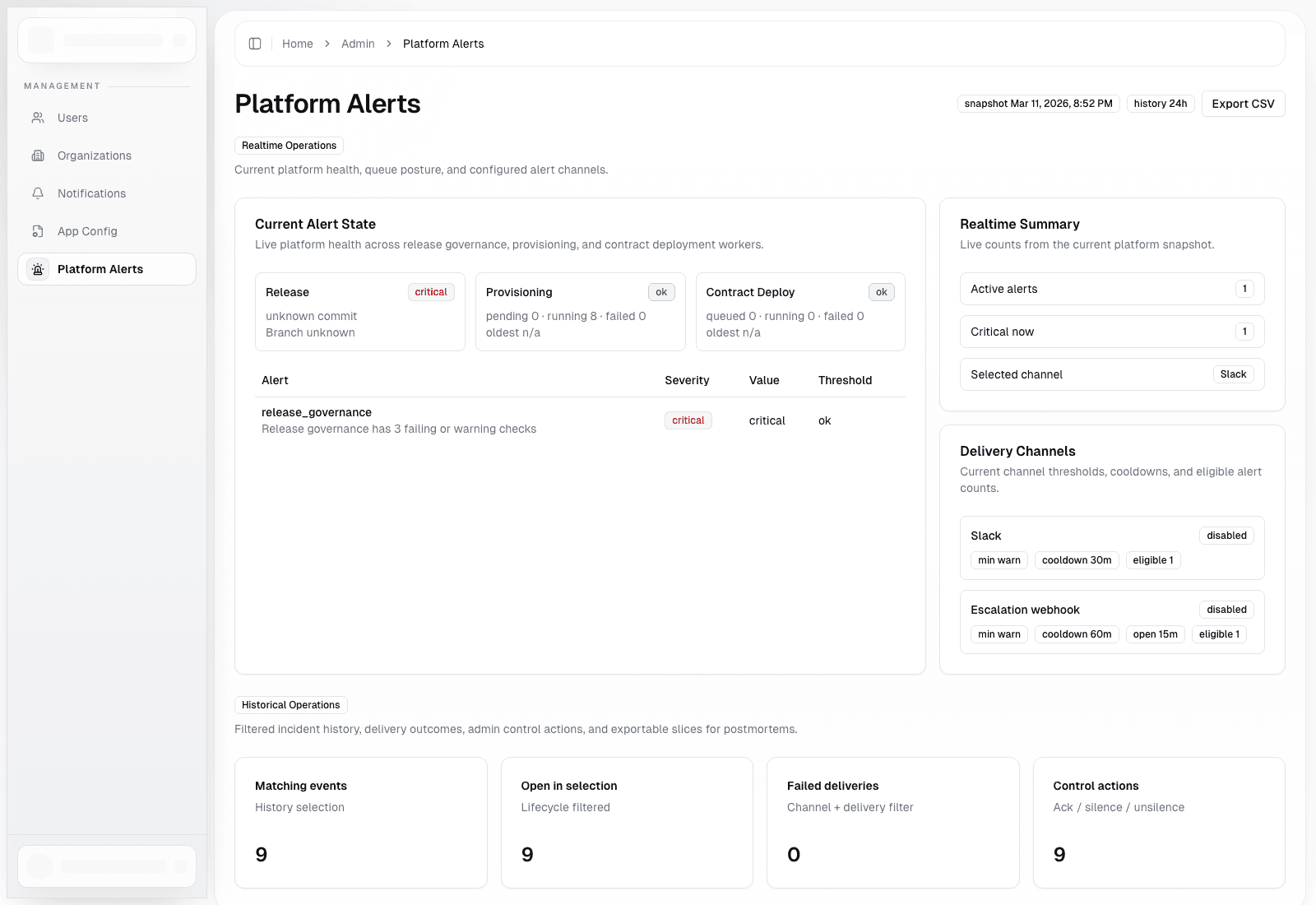
What Platform Alerts Watch Today
Current platform health and alerting surfaces include:
- release governance status
- provisioning queue age
- contract deployment queue age
- stale running provisioning tasks
- stale running contract deployment tasks
The platform status snapshot also tracks public API rate-limit utilization, including active, near-limit, and saturated API keys.
Go-Live Sequence
1. Prove The Tenant Model
Verify that the right users can enter the right organizations, the wrong users cannot, and the active organization changes cleanly when switching workspaces.
2. Prove Billing And Access Gates
Verify that onboarding completes correctly, plan-gating behaves as expected, billing owners can manage plans and invoices, and ordinary members cannot perform billing admin actions.
3. Prove Automation Boundaries
Verify that API keys authenticate correctly, rate-limit headers are visible, idempotency behavior works for create calls, and webhook receivers validate signatures and de-duplicate deliveries.
4. Prove Runtime Operations
Run at least one end-to-end deployment flow in the runtime surface you actually care about, whether that is Contract Lab, Indexer Lab, or Channel Lab. Confirm queued execution, audit history, and operator visibility.
5. Prove Incident Review
Walk a simulated failure path where an alert appears in platform alerts, logs or Sentry context can be correlated to the request or procedure, credentials can be rotated or revoked, and admins know where intervention happens.
A Simple Incident Flow
alert or operator report
  -> check platform alerts / tenant audit history
  -> identify tenant or deployment
  -> inspect recent audit and delivery records
  -> rotate API key or disable webhook if needed
  -> re-run or recover workflow through governed product surfaces
Common Production Mistakes
- putting every operator in platform admin
- reusing one API key forever across environments
- skipping webhook signature validation
- going live without validating choose-plan or billing state transitions
- assuming queue-backed runtime work can be treated like synchronous CRUD