Organization Observability: Activity, Analytics, Audit Log
How to use the reporting and audit pages that now ship inside the organization workspace
Page-aware AI
Ask AI about this page
Get answers grounded in the live Obelisk docs set, with source links, selected-text explainers, and prompts for the next document to read.
These pages help operators understand recent activity, current state, and operational accountability inside one organization.
Activity
Route: /dashboard/organization/activity
Use this page to review:
- lead creation activity
- AI chat creation
- in-app notifications
- provisioning task updates
- credit usage transactions
Use it when you need a single chronological view of change across the workspace.
Analytics
Route: /dashboard/organization/analytics
Use this page to:
- Review top-line counts for members, leads, active pipeline, AI chats, deployments, and API keys
- Inspect lead-stage distribution
- Review last-30-day throughput for leads, AI chats, completed tasks, notifications, and credit consumption
This page is intended for operating review, not financial reporting.
Audit Log
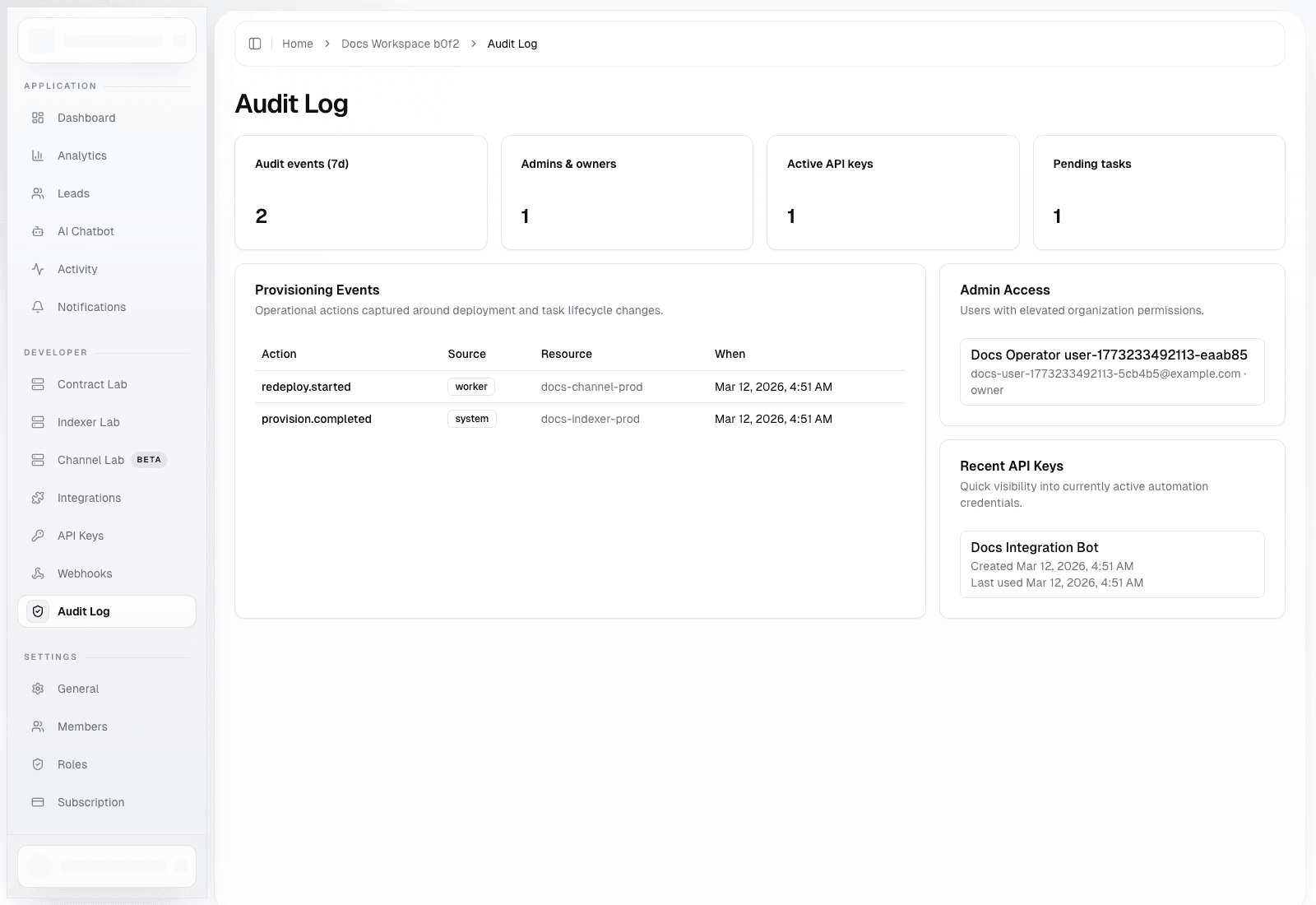
Route: /dashboard/organization/audit-log
Use this page to:
- Inspect provisioning-related audit events
- Review elevated access holders in the current organization
- Review recently active API keys and their usage timestamps
- Confirm whether a reported automation issue is tied to a recent lifecycle action
Recommended Workflow
- Start with
Activitywhen you need a broad, recent timeline. - Move to
Analyticswhen you need current state or directional usage metrics. - Finish with
Audit Logwhen you need accountability around task and deployment operations.
How To Read These Pages
Activityis feed-oriented and optimized for recency.Analyticsis summary-oriented and optimized for trend review.Audit Logis operator-oriented and optimized for accountability and debugging.