Channel Lab: Managed Dubhe Channel Deployments
How Channel Lab fits into the managed runtime toolchain, what you can configure, and how lifecycle actions behave
Ask AI about this page
Get answers grounded in the live Obelisk docs set, with source links, selected-text explainers, and prompts for the next document to read.
Route: /dashboard/organization/channel-lab
Status: Beta
Channel Lab is the organization-facing console for managed dubhe-channel runtime deployments.
It follows the same queued operational model used by the managed indexer flows.
All operations are queued and processed asynchronously by worker endpoints.
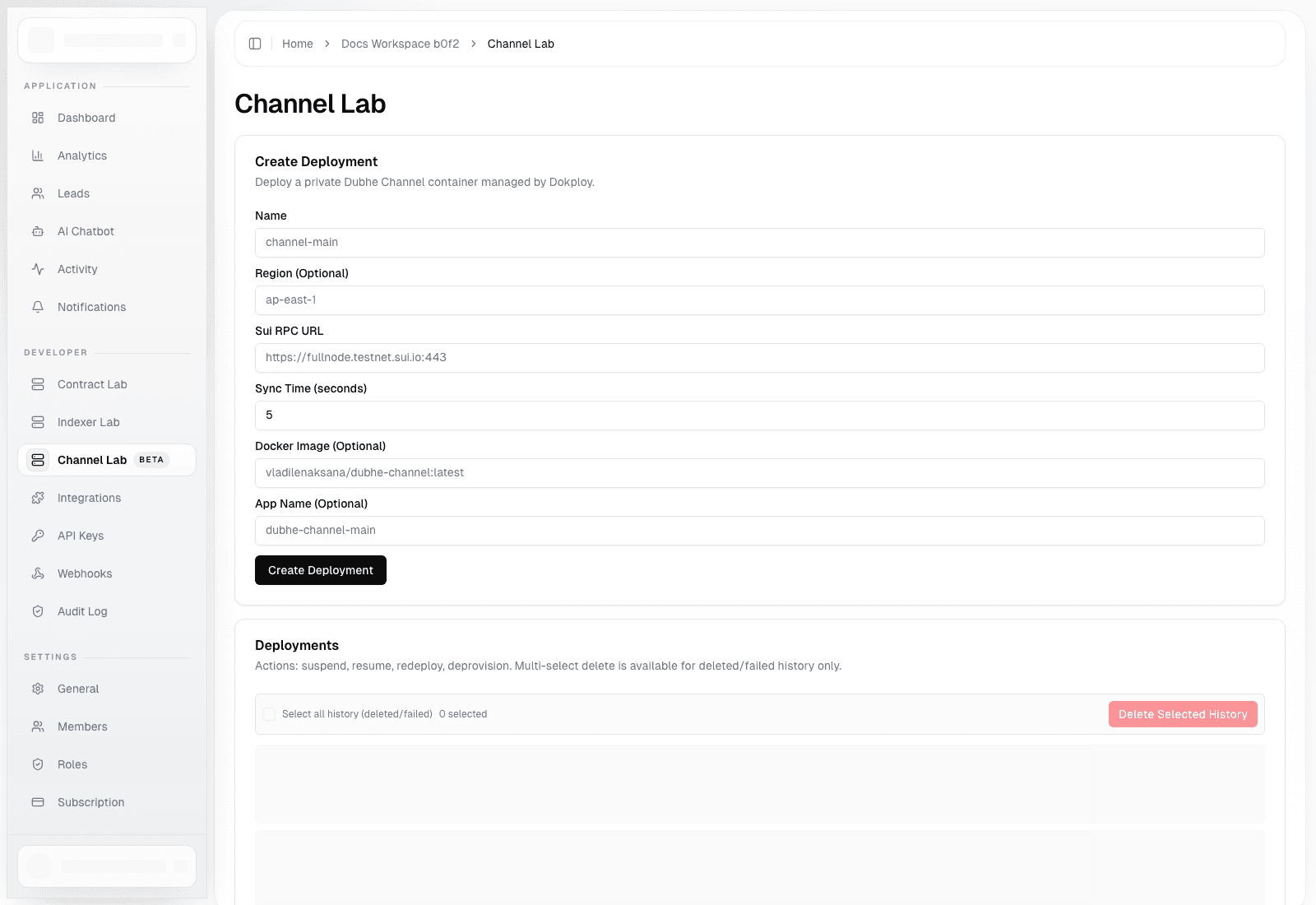
Create Deployment
Create form fields:
Name(required)Sui RPC URL(required)Sync Time (seconds)(required, normalized server-side)Region(optional)Docker Image(optional override)App Name(optional)
Expected outcome:
- creation request is queued
- deployment transitions from pending/provisioning to running
- provider deployment ID and endpoint metadata are attached when ready
Deployment Actions
Per deployment card:
SuspendResumeRedeployDeprovision
Each action enqueues a task and is executed by the same provisioning worker pipeline.
History Cleanup
You can select multiple history records and delete local history for items with status:
deletedfailed
This removes local records only; it does not recreate provider-side resources.
Run Worker (Non-Production)
In non-production environments, you can trigger one immediate worker batch:
- set
maxTasks - click
Run Once - inspect JSON output
This is mainly for local ops and debugging.
Troubleshooting
- Deployment stays pending: check worker health and provider API credentials.
- Endpoint remains
-: provider domain/ingress may not be configured yet. - Action queued but no state change: check latest task status/error in the deployment card.