API Keys and Public Deployment API
Create scoped automation credentials and use the public deployment endpoints safely
Page-aware AI
Ask AI about this page
Get answers grounded in the live Obelisk docs set, with source links, selected-text explainers, and prompts for the next document to read.
Use this guide when you need to grant external automation access to deployment workflows.
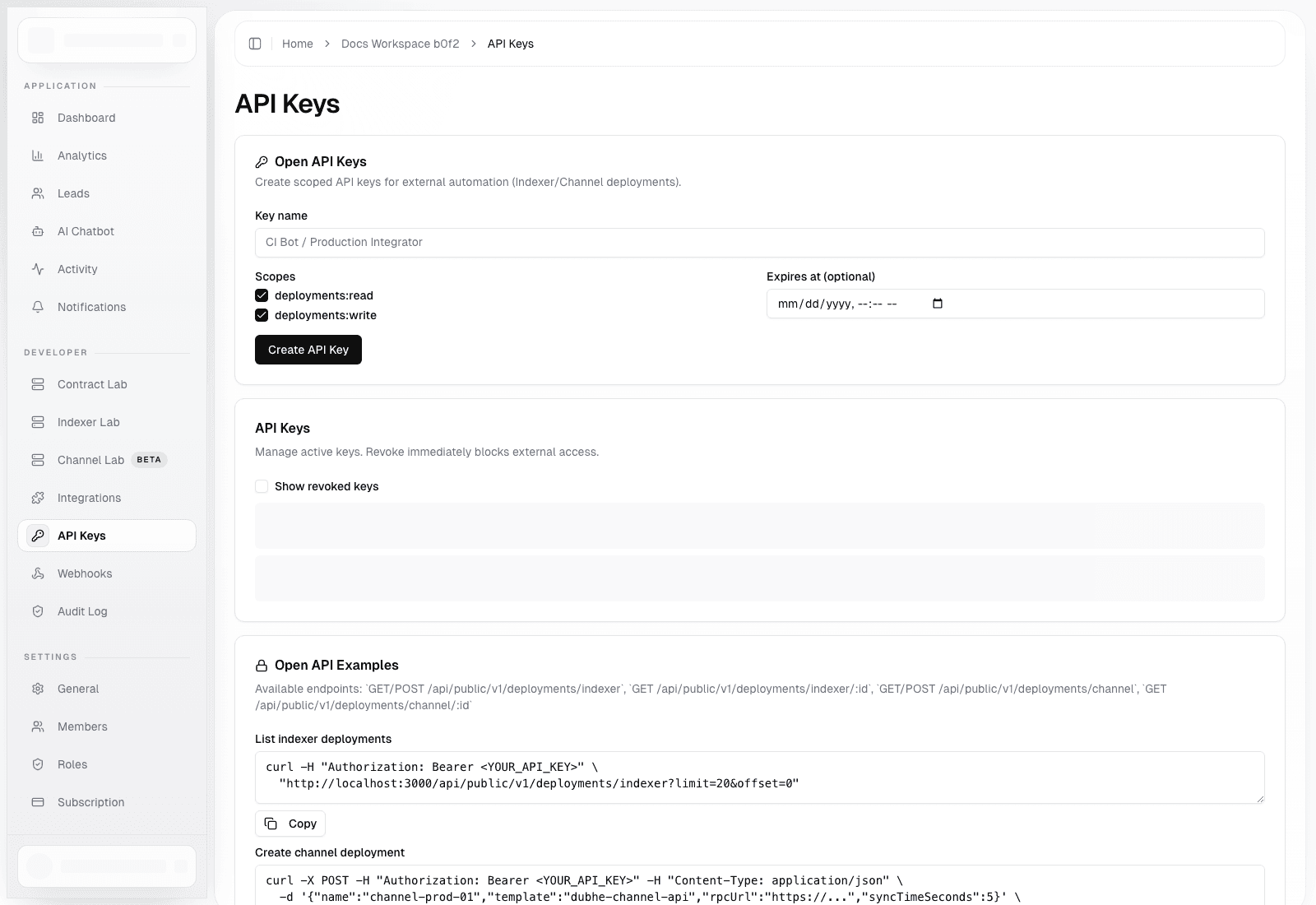
API Keys Page
Route: /dashboard/organization/api-keys
Use this page to:
- Create scoped API keys for external automation
- Set optional expiration timestamps
- Revoke keys immediately
- Copy example
curlcommands for indexer and channel deployment workflows
Available scopes:
deployments:readdeployments:write
Public API Surface
Base routes:
GET /api/public/v1/deployments/indexerPOST /api/public/v1/deployments/indexerGET /api/public/v1/deployments/indexer/[id]GET /api/public/v1/deployments/channelPOST /api/public/v1/deployments/channelGET /api/public/v1/deployments/channel/[id]
Authentication:
- Send
Authorization: Bearer <API_KEY> - Use read-only keys for inventory and status polling
- Use write-enabled keys only in trusted automation environments
Example Flows
List indexer deployments
curl -H "Authorization: Bearer <API_KEY>" \
  "https://your-app.example.com/api/public/v1/deployments/indexer?limit=20&offset=0"
Create a channel deployment
curl -X POST \
  -H "Authorization: Bearer <API_KEY>" \
  -H "Content-Type: application/json" \
  -d '{"name":"channel-prod-01","template":"dubhe-channel-api","rpcUrl":"https://...","syncTimeSeconds":5}' \
  "https://your-app.example.com/api/public/v1/deployments/channel"
Rotation Guidance
- Name keys after the integration or environment using them
- Set expiration for temporary keys wherever possible
- Store the full token in a secret manager, not in source control
- Revoke and replace keys during incident response instead of reusing a suspected credential